
The useful goal is noticing sooner
Most desk slouching does not arrive all at once. It creeps in while you are reading a dense email, leaning toward a laptop, answering messages, or trying to finish one more thing before standing up. By the time you notice, your head may already be forward, shoulders rounded, and attention somewhere else entirely.
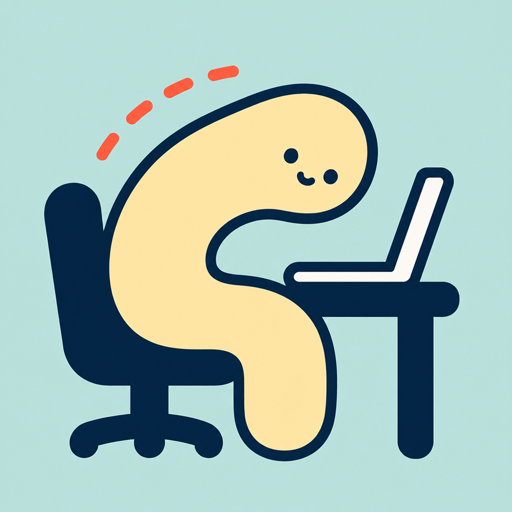
That is why the best posture habit is not "sit perfectly forever." It is noticing the first drift and making a small reset before the wet-noodle shape settles in. The win is not heroic discipline. The win is a short feedback loop.
Use a reset that takes less than 10 seconds
A reset should be small enough that you can do it during real work. If it feels like a wellness ritual, you will skip it when you are busy. Try this simple version: let your feet settle, soften your shoulders, bring your head back over your torso, take one easy breath, and return to the task.
The point is not to freeze. You are giving your body a better default position for the next stretch of work. If you drift again, you reset again. That repetition is the habit.
- Feet supported on the floor or a footrest.
- Shoulders relaxed, not forced backward.
- Elbows close to your body.
- Head balanced rather than craned toward the screen.
Make your desk less slouch-friendly
Your environment decides more than your willpower. OSHA's computer workstation guidance describes a neutral working position with the head level, shoulders relaxed, elbows close to the body, back supported, and feet supported. MedlinePlus also emphasizes supported sitting, frequent position changes, brief walks, and gentle stretching.
You do not need a perfect ergonomic makeover to start. Raise a laptop with books, use an external keyboard when you can, pull the screen closer instead of moving your face toward it, and make sure the chair is not asking your lower back to do all the work.
Use reminders that know what is happening
A timer can help you remember to move, but it does not know whether you are sitting tall or folding forward. A posture reminder works better when it is specific: it catches the pattern you care about and nudges you while the correction is still easy.
Noodle Posture is built around that idea. During a Slouch Watch session, Noodle uses supported AirPods or Beats motion to notice head-forward drift, then gives you a gentle cue on iPhone or Apple Watch. You can keep working, reset quickly, and watch your trends build over time.
Know when posture advice is not enough
This guide is for everyday desk drift, not diagnosis. If posture changes come with persistent pain, numbness, weakness, headaches, or symptoms that worry you, it is worth talking with a qualified health professional. A good app can help you notice patterns, but it should not replace medical care.
Noodle Posture is a habit and awareness tool, not medical care. If you have persistent pain, numbness, weakness, or symptoms that worry you, talk with a qualified health professional.